Showing posts with label Windows. Show all posts

Wednesday, November 29, 2023

Ayaneo’s New Tiny Macintosh Tribute Is Actually An AMD Ryzen-powered Windows Machine


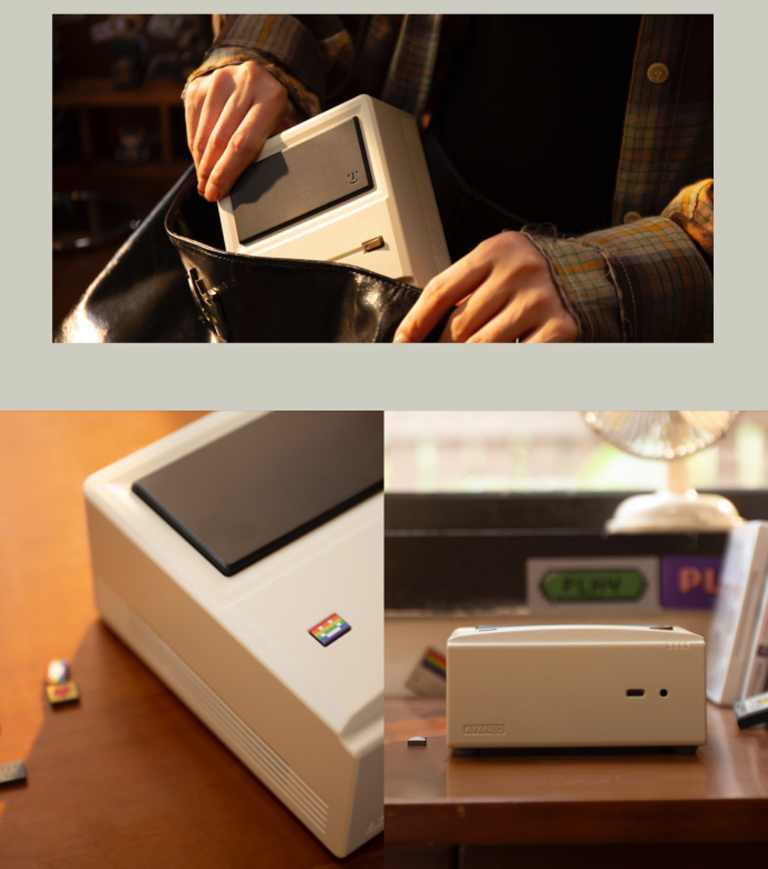
Ayaneo, a brand mostly known for producing handheld gaming devices, has announced a new product that pays tribute to Apple’s classic Macintosh computer from the 1980s, officially known as AM01. Much like several throwback devices prior to this, such as the Atari 2600+ and Sega Megadrive Mini 2, the company’s latest release is presented as a miniature version of the machine that it’s based on. Just don’t expect it to run any iteration of Apple’s macOS, though.

According to Ayaneo, its new AM01 machine is actually a mini PC that’s running on AMD Ryzen processors and, depending on configuration, also comes with Windows 11 Home preinstalled. It measures at just over 5 inches in width and height, 2.5 inches thick, and weighs slightly over 486g. The company adds that you can also personalize it with magnetic-based decorations, where you’ll be able to swap out the not-Macintosh badge on the bottom left for something else. Oh, it’s also worth noting that the miniature display on the AIO tribute product is non-functional, but you can decorate it with a bunch of stickers that are included in the package.

Specifications-wise, Ayaneo is offering the compact PC in multiple configurations which either features just an AMD Ryzen processor, or together with RAM and storage. The AMD Ryzen 3 3200U option will come with 8GB RAM and 256GB storage, while the Ryzen 7 5700U APU variant is available on its own or with 32GB RAM and 1TB SSD. The company notes that the AM01 is expandable up to 64GB of dual-channel DDR4 RAM and 2TB of M.2 solid state storage.


In terms of connectivity, the Ryzen 3 3200U model will feature WiFi 5 and Bluetooth 4.2 support, while the Ryzen 7 5700U version has WiFi 6 and Bluetooth 5.2. Regardless of model, the AM01 also comes with a SATA 3.0 interface that supports 2.5-inch SDD or HDD, one USB-C 3.2 Gen1 port, three USB 3.2 Gen2 ports, one USB 2, a 3.5mm headphone jack, a gigabit Ethernet port, DisplayPort 1.4, and HDMI 2.0 ports.


While it does appear to be portable, the machine actually runs on DC power and does not feature an internal battery. Ayaneo adds that the AM01 can output video in 4k at 60fps and it’s compatible with dual-screen setups.


The mini PC starts at US$149 (~RM692) for the AMD Ryzen 3 3200U option, but will retail at US$199 (~RM924) once it officially debuts next month. On the other hand, the Ryzen 7 5700U configuration starts at an early bird price of US$219 (~RM1,017) for processor only, and up to US$379 (~RM1,760) together with 32GB RAM and 1TB SSD. Those interested can pre-order the device now via Ayaneo’s official Indiegogo store page, while shipping is available worldwide.

Friday, October 1, 2021

New Samsung S4 Monitor Comes With Pop-Up Webcam And Windows Hello

Samsung has launched a new monitor focused on hybrid workers and students doing distance learning. The 24-inch Webcam Monitor S4 has 2W built-in speakers, microphones, and a stealthily-hidden pop-up webcam so users don’t need to have a bulky setup full of accessories.

The 2-megapixel FHD webcam comes equipped with an infrared camera that acts as a biometric sensor, making it Windows Hello certified. All you need to do is push down on the pop-up camera and it’ll immediately activate. Samsung claims that the monitor logs in the user and unlocks in as little as two seconds through facial recognition. Windows Hello also allows users to use the feature in lieu of passwords for Windows 10 devices, apps, and websites, similar to Face and Touch ID on Apple Devices.


The 24-inch IPS monitor only has a 1080p resolution with 250 nits of typical brightness and only runs at 75Hz but that should be enough for online meetings and even online classes. It also has a wide 178-degree viewing angle with flicker-free, low blue light features that Samsung claims will reduce eye strain. As a bonus for gamers, the monitor is compatible with AMD FreeSync.

You’ll be happy to hear that the VESA compatible stand is also height adjustable, as well as being able to tilt, swivel, and pivot for customisable ergonomics. As for peripherals, the Webcam Monitor S4 comes with three USB 3.0 type-A ports, Display Port 1.2, HDMI 1.4, audio out, and even a VGA port.


Local pricing and availability have not been revealed yet but it’s being sold in the US for USD$319 (~RM1327). For that matter, the S4 monitor is being made available in the US, Europe, South Korea, and Southeast Asia, which means we should be officially getting it soon. Keep in mind that even with the built-in webcam, you’ll still need to connect a desktop computer or laptop to use the monitor for video conferencing.

Saturday, August 21, 2021

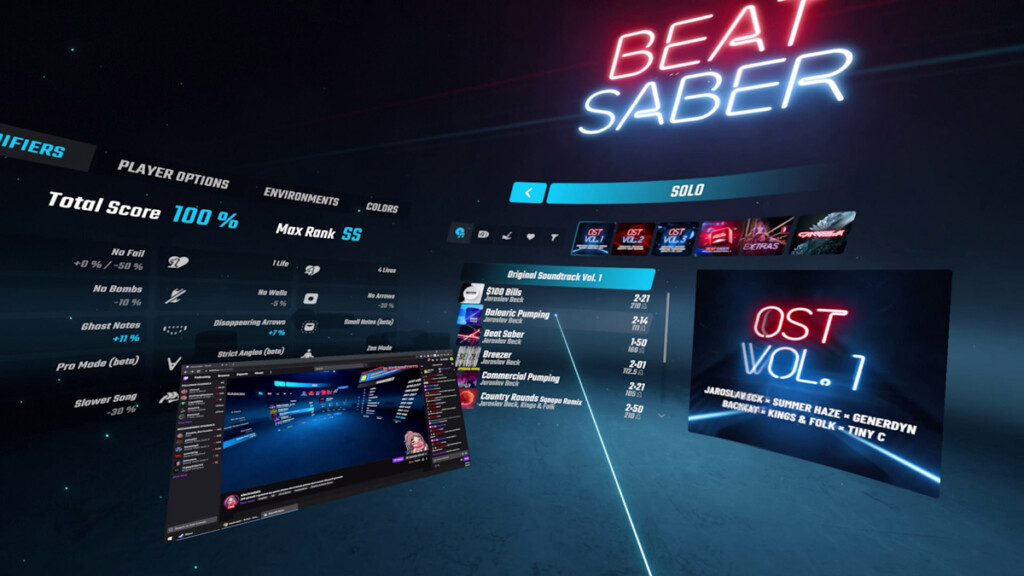
Latest SteamVR Beta Allows For Floating Desktop Windows While In-Game

Valve has introduced a neat feature to the latest version of SteamVR, which lets you float windows from your desktop into your virtual space. These windows can be positioned wherever you wish, and would remain there as part of the interface while in-game.

This update is a more flexible approach over the version prior, where users could only bring in a desktop window by attaching them onto your in-game VR controller. The only drawback to this is that you’ll need to lift up your controller in order to glance at the window, which might obstruct your view when playing certain games.

With this new feature, users can simply let a desktop window float anywhere in their virtual space, enabling you to multitask while in a VR game or application. These windows are view-only when you’re in a game or application, and can only be interacted with by pointing at it with your VR controller. On that note, the controller can also be used as a mouse pointer for interaction, such as web browsing or managing content playback via the floating window. Pretty handy, especially if you plan to catch up on a Netflix show while flying a Cessna in Microsoft Flight Simulator – just make sure to keep your plane in the air while doing so.

Although the floating window feature seems like the better alternative, Valve decided to keep the attach-to-controller option just in case. In addition, users can also choose to undock the attached window and position them to float in-game.

To enjoy this new feature, make sure to have your SteamVR beta client updated to version 1.19.6. It’s also worth noting that you can easily opt in to the beta programme by navigating to the app’s Properties window, then to the Betas tab, and choosing SteamVR Beta Update. Upon selecting the option, SteamVR will then download and update to the latest beta version.

Sunday, June 20, 2021

NVIDIA To Cease GPU Driver Support For Windows 7 And 8 By October 2021

Despite being several years old, NVIDIA is still releasing GPU driver updates for older Microsoft operating systems including Windows 7, 8 and 8.1. However, this will no longer be the case once October 2021 rolls in, as announced by the company via a newly published support page on its website.

“Effective October 2021, Game Ready Driver upgrades, including performance enhancements, new features, and bug fixes, will be exclusively available for systems utilizing Windows 10 as their operating system,” NVIDIA wrote. “Critical security updates will be available on systems utilizing Windows 7, Windows 8, or Windows 8.1 through September 2024.”


Seeing that current games and applications are only compatible with the current generation Windows systems, NVIDIA’s (and even Microsoft’s) decision to cease support for the older platforms shouldn’t be an issue to most users. That is, provided that they have already upgraded to the popular Windows 10 system, which will soon hit its six-year-old mark late next month.

Wednesday, April 28, 2021

REvil Ransomware Now Able To Change Windows Passwords And Automate File Encryption In Safe Mode


The REvil Ransomware recently received an update that effectively allows malicious hackers to change Windows passwords, as well as automate a system’s file encryption via Safe Mode directly after that.

According to Bleeping Computer, the update was reportedly added in an effort to help these actors evade detection and to shut off backup software and database servers when encrypting the target’s files. Breaking down the update further, the new REvil ransomware reportedly changes the user’s password to “DTrump4ever” when the -smode argument is used.

As dastardly as this ransomware is, the silver lining in all this is that the affected person would still need to manually log in to Windows Safe Mode before the encryption can occur, and that alone could tip off the victim to the ransomware’s actions.

Of course, it should surprise no one that this isn’t the first time REvil has been cast into the spotlight. Last month, the hacker collective claimed responsibility for attacking the Taiwanese tech brand, Acer, and holding their servers hostage to the tune of US$50 million (~RM206 million).

In addition to the attack, the group also warned victims that it would not think twice about launching DDoS attacks on them or email their business partners about their activities. Should they choose not to pay the ransom.

Xiaomi Shows Off Physical Concept Of Vision Gran Turismo

At the very tail end of last month, Xiaomi unveiled the Vision Gran Turismo. The car was revealed as a digital hypercar, and one that’s made...